In order to make LlamaExtract work, you need to first create an Extraction Agent on LlamaCloud Platform with your designed schema.
With python code (current SDK), that looks like:
from pydantic import BaseModel, Field
from llama_cloud import LlamaCloud, AsyncLlamaCloud
# Define schema using Pydantic
class Resume(BaseModel):
name: str = Field(description="Full name of candidate")
email: str = Field(description="Email address")
skills: list[str] = Field(description="Technical skills and technologies")
client = LlamaCloud(api_key="your_api_key")
# Create extraction agent
agent = client.extraction.extraction_agents.create(
name="resume-parser",
data_schema=Resume,
config={}
)
# retrieve agent ID for future usage
print(agent.id)
With the legacy SDK, you can do:
from llama_cloud_services import LlamaExtract
from pydantic import BaseModel, Field
# Initialize client
extractor = LlamaExtract(api_key="your_llama_cloud_api_key")
# Define schema using Pydantic
class Resume(BaseModel):
name: str = Field(description="Full name of candidate")
email: str = Field(description="Email address")
skills: list[str] = Field(description="Technical skills and technologies")
# Create extraction agent
agent = extractor.create_agent(name="resume-parser", data_schema=Resume)
# retrieve agent ID for future usage
print(agent.id)
You can also configure your agents from the LlamaCloud Platform UI.
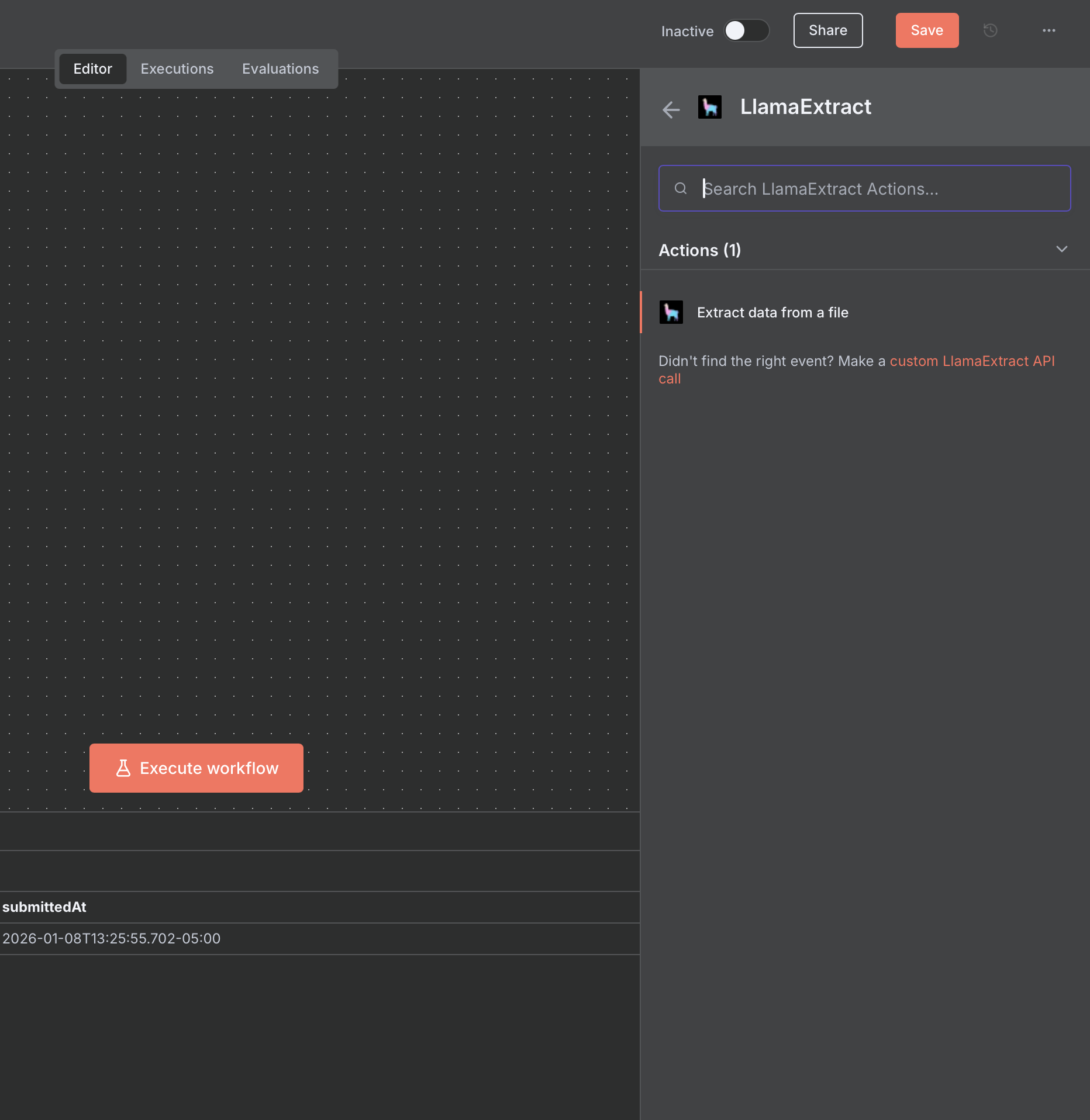
Select the 'LlamaExtract' node with the 'Extract data from a file' action.
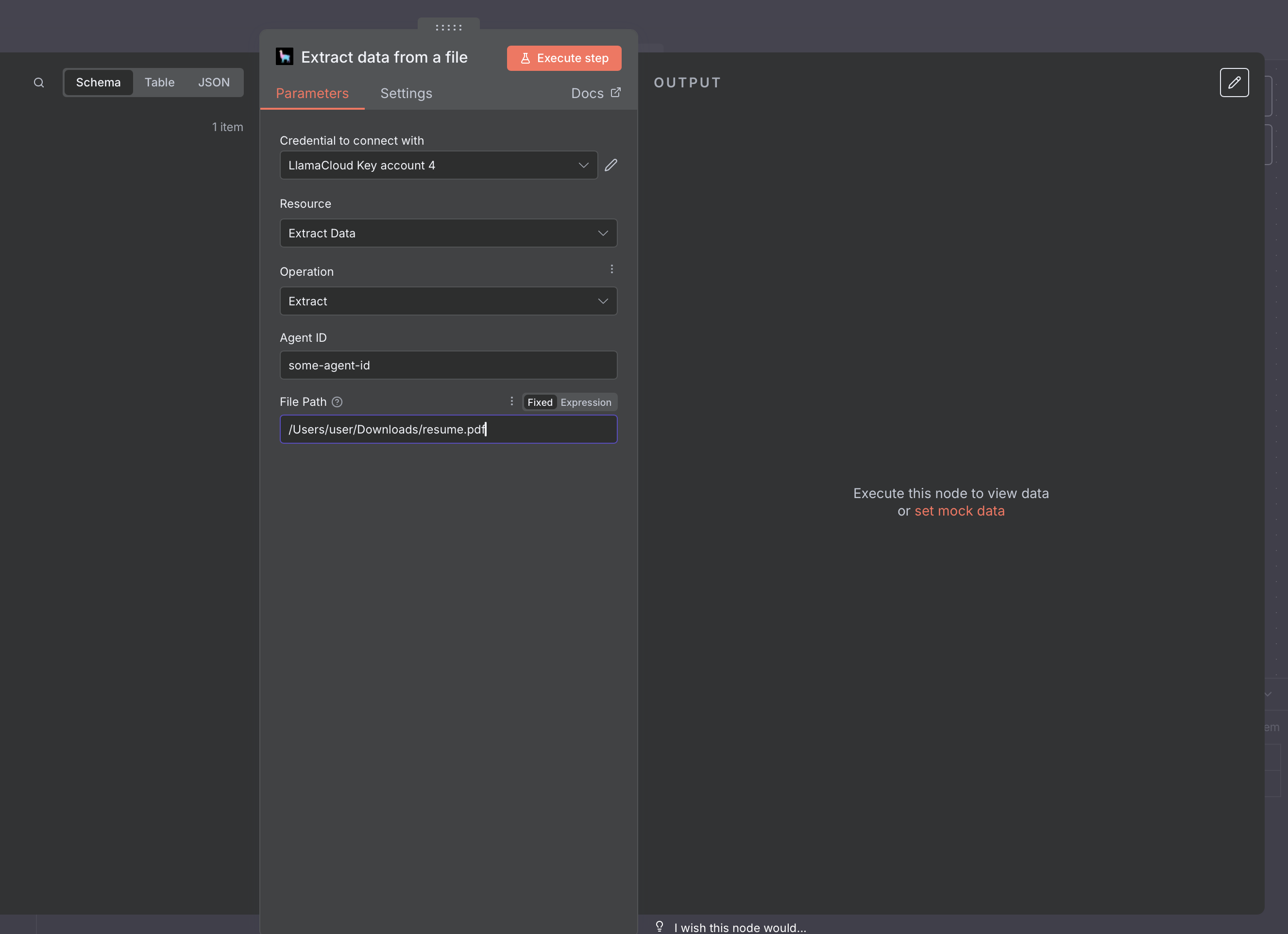
When setting up the node, pass your Agent ID (copy it from the LlamaCloud Platform UI or from the outputs of the code snippets), and the path to a file:
As for LlamaParse, you can also set the node to receive inputs from other nodes, such as a n8n form.